Best Custom CRM Development Options in 2026
Compare the best custom CRM development options in 2026 — from AI-native platforms to full-code builds. Find the right approach for your business.
Most off-the-shelf CRMs force you to bend your processes around their templates. Custom CRM development flips that , you build a system that fits how your team actually works. Here are the ten best options right now, ranked by the kind of business they suit best.
Table of Contents
- 1. Harmiz , AI-Integrated Custom CRM Built for Gyms, Coaching Institutes & Enterprises (Our Top Pick)
- 2. Enterprise-Grade CRM Platform , Deep Customisation for Large Sales Organisations
- 3. Low-Code CRM Development Platform , Flexible CRM Builds for SMBs
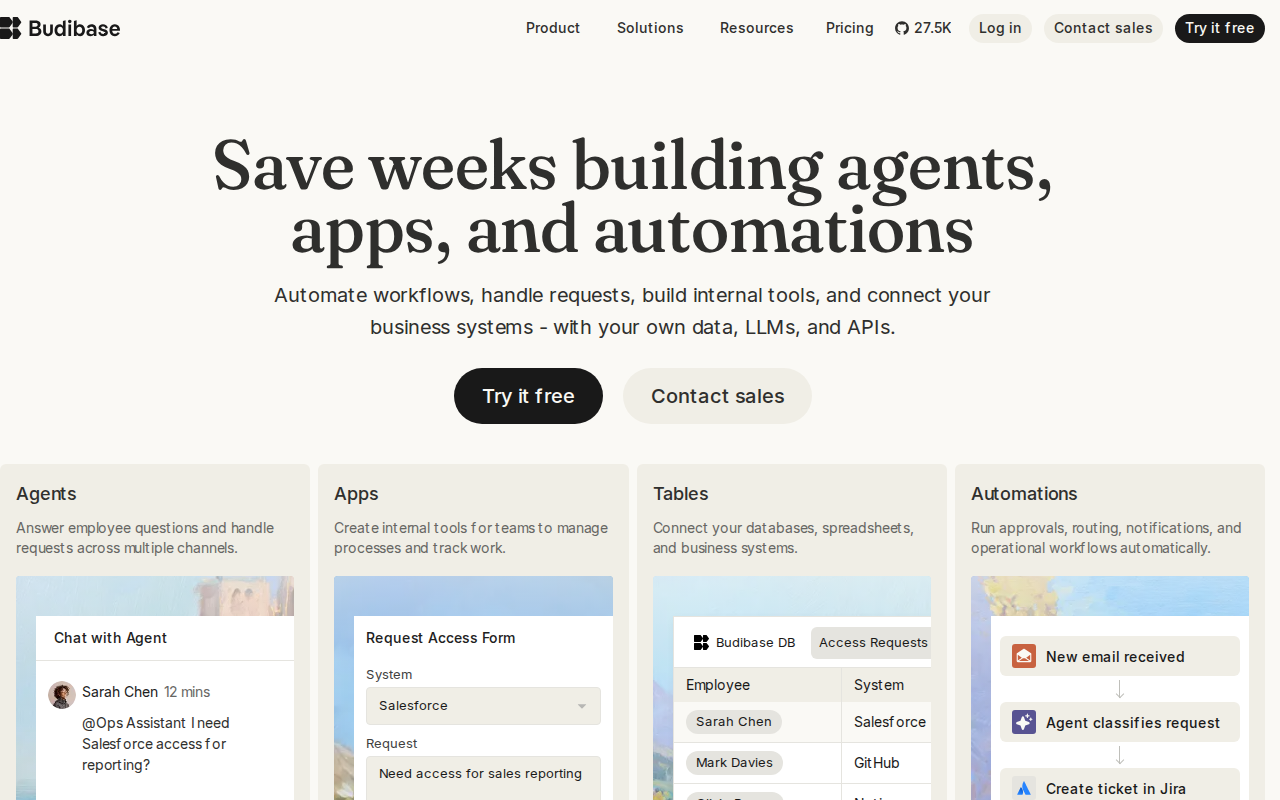
- 4. Budibase , Open-Source Low-Code Platform for Custom CRM Builds
- 5. Airtable + Softr , No-Code CRM Development for Lean Teams
- 6. No-Code CRM Builder , AI-Powered Mobile-First CRM for Operational Teams
- 7. Extended CRM via Custom Objects & API , Adapt an Existing CRM to Fit Your Workflow
- 8. Full-Stack Custom CRM Development (Traditional Code) , Maximum Control for Complex Enterprises
- 9. Internal Tool Builder , Custom CRM Dashboards & Workflows for Technical Teams
- 10. Outsourced Custom CRM Development Agencies , When You Need a Dedicated Build Team
- No-Code vs Low-Code vs Full-Code: Which Custom CRM Development Path Is Right for You?
- What to Look for When Choosing a Custom CRM Development Option
- FAQ
- Conclusion
1. Harmiz , AI-Integrated Custom CRM Built for Gyms, Coaching Institutes & Enterprises (Our Top Pick)
Harmiz designs and ships AI-integrated business software, including full multi-tenant SaaS operating systems for gyms, coaching institutes, and operations-heavy enterprises. It's our top pick because it's the only provider in our research sample of 23 vendors that combines confirmed AI capability with true multi-tenant SaaS architecture , a pairing only 4% of the market offers.

What that means practically: if you run a gym chain or a multi-branch coaching institute, Harmiz builds you a system where each branch operates on the same platform but with its own data, permissions, and workflows. Role-based access , where permissions tie to each user's job title rather than a flat admin toggle , means your floor managers see what they need, and your directors see everything.
The AI layer isn't bolted on after. It's built into the operating system from the start. Renewal prediction, lead scoring, automated follow-ups, and WhatsApp-operable workflows (a feature almost nonexistent across the market) are part of the core build. We move fast because we've shipped production platforms before , purpose-built systems for fitness businesses and education operators are live proof of that. You can see them at the Harmiz live demo.
Typical projects wrap in around three months. Pricing isn't flat-rate , it's scoped to your build , so you're not paying for features you'll never use. If you're an SMB owner sick of spreadsheets or an enterprise ops leader whose current CRM can't handle multi-location logic, Harmiz is worth the conversation first.
The caveat: Harmiz builds custom, so there's no instant sign-up. You'll need a discovery call to scope your project. That's not a weakness , it's how bespoke software works , but if you need something live in two weeks, look at the no-code options below first.
Key Takeaway: Harmiz is the only vendor in this space combining AI automation with multi-tenant SaaS expertise, making it the strongest choice for gyms, institutes, and multi-location businesses that need a CRM built around their operations.2. Enterprise CRM Platforms , Enterprise-Grade CRM with Deep Customisation
Enterprise CRM platforms are among the most widely adopted solutions on the market, used by large organisations across industries. These platforms let enterprises customise objects, workflows, and automation at scale, and their marketplace ecosystems add thousands of extensions on top of the base product.

Enterprise-grade CRM solutions typically offer AI-driven lead scoring, forecasting tools, and the ability to build custom objects that store any data structure your sales process needs. If your team has complex account hierarchies , parent companies with dozens of subsidiaries, each with their own contacts and deal stages , these platforms handle that natively.
The pricing reality is the main sticking point. Enterprise CRM licensing can be substantial, particularly at mid-tier and above plans, with enterprise configurations going considerably higher. For teams of 20+ with specific workflows, that per-seat cost compounds fast. A custom-built alternative often becomes more cost-effective within two to three years.
Enterprise CRM platforms also demand serious admin investment. You'll need a certified administrator or a consulting partner to keep the configuration healthy. That's a real ongoing cost most sales pages gloss over. Best for enterprises with dedicated IT budgets, complex multi-team sales processes, and the appetite for a long implementation runway.
3. Low-Code CRM Development for SMBs
Low-code CRM platforms sit in a useful middle ground: more flexible than out-of-the-box CRM tools, but far less expensive than fully custom development. These are application builders where you design your own data models, forms, and workflows using a drag-and-drop interface. For SMBs with non-standard sales processes, that flexibility matters.
The better platforms in this category handle relational data well. You can link contacts to companies, companies to deals, and deals to support tickets in a structure that matches how your business actually tracks relationships. Many also let developers add custom logic when the drag-and-drop tools hit their limits.
Pricing in this category sits at the lower end of the market, which makes it accessible for teams that want custom logic without enterprise-level spend. Integration with broader productivity suites (mail, books, campaigns) is smooth if you're already in a compatible ecosystem.
The honest caveat: many low-code CRM builders have UIs that feel dated compared to newer no-code tools, and the learning curve for any custom scripting is real. Non-technical founders will likely need some developer help to get the most out of them. They work best when you have at least one person on the team comfortable with basic scripting.
4. Budibase , Open-Source Low-Code Platform for Custom CRM Builds
Budibase is an open-source low-code platform that lets you build internal tools and CRM-style applications with a visual builder. You connect it to your existing data sources , PostgreSQL, MySQL, or Airtable , and design your interface from drag-and-drop tables, forms, and charts. As demonstrated in YouTube tutorials for the platform, a functional CRM with contact management and deal tracking can be built in under a day.
The open-source angle is significant. Self-hosted deployments mean your data stays on your infrastructure, which matters for businesses with strict data governance requirements. You're not locked into a vendor's pricing model either , the community edition is free to self-host indefinitely.
Automation is built in. You can set up triggers , like sending a notification when a deal moves to a new stage, or logging an activity when a contact is updated , without writing code. The workflow builder is visual and approachable even for non-developers.
The limitation is scale. Budibase is excellent for internal tools and small-team CRMs, but it's not designed to handle the data volumes or user concurrency of an enterprise system. It also lacks native AI features. If your CRM needs machine learning or predictive analytics, you'd need to build those integrations yourself.
5. Airtable + Softr , No-Code CRM Development for Lean Teams
One of the most-watched YouTube approaches to quick custom CRM development is the Airtable + Softr combination. Airtable handles the database layer , contacts, companies, deals, activities, each as a structured base , while Softr builds the front-end interface that non-technical users actually interact with. The two sync in real time, so a deal update in the interface reflects immediately in the database.
Airtable's Sales CRM template gives teams a ready-to-use starting point with accounts, contacts, interactions, and opportunities from one central hub. You can use it as-is or reshape every field, view, and automation to match your workflow. A lean team of two to three people can spin up a working CRM in three days or less , one creator documented exactly that process publicly.
The combination works well for startups and small sales teams that want something custom without hiring a developer. Softr's user portal feature also lets you give clients or partners a limited view of their own data, which off-the-shelf CRMs rarely support without expensive add-ons.
At scale it gets expensive. Airtable's pricing jumps significantly as rows and automations grow, and Softr charges separately. For a team of ten-plus with heavy data volume, the combined monthly cost starts to compete with purpose-built CRM software. Run the numbers before committing.
6. No-Code CRM Platforms, AI-Powered No-Code CRM for Operational Teams
No-code CRM platforms designed for operational teams let staff build mobile-first CRM applications directly from spreadsheet connections or database sources. The strong suit of this category is field-team use cases: route planning, offline data capture, and real-time sync between mobile apps and a central dashboard. A CRM built with such tools can be genuinely functional within a single workday.
Tutorials in this space walk through the full thought process live: defining an employees table, building role-based views for admins versus sales reps, structuring project and client relationships, and publishing the app — all starting from an empty spreadsheet. The result is a CRM with dynamic views that change based on who's logged in, which is a feature most no-code tools make complicated.
Workspace integration is a real advantage for teams already running on cloud productivity suites. If your team already runs on shared email, drive storage, and spreadsheets, a well-chosen no-code platform plugs in natively. Automations can trigger emails, update rows, and notify team members without leaving the existing ecosystem.
The downside is the UI ceiling. Apps built on no-code platforms look functional but not polished. If your CRM is customer-facing or needs to feel like a professional product, you'll hit the design limits quickly. This category is best suited for internal operational tools where usability beats aesthetics.
7. Extending an Existing CRM Platform , Fit Your Workflow Without Starting From Scratch
Some CRM platforms are positioned differently from the other options here. Rather than building a CRM from scratch, an API-extension approach extends an existing CRM instance to track data that the standard objects (contacts, companies, deals) don't cover. If your business tracks equipment installations, event registrations, or subscription tiers alongside your sales pipeline, custom objects let you model that data inside your existing platform and relate it to your existing records.
Many established CRM platforms offer developer APIs in detail , you can create, read, update, and delete custom object records programmatically, build associations between them, and query them from your own applications. For development teams already comfortable with REST APIs, this is a low-friction way to extend a CRM rather than replace it.
The pricing caveat is significant. Enterprise tiers , where custom objects are typically available , run toward the higher end of the market. Pricing for larger teams can be substantial, making it a meaningful budget decision.
This approach works best when you're already invested in an existing CRM ecosystem and need to add data structure rather than replace the whole platform. If you're starting from scratch, the cost-to-value ratio of a fully custom build often wins.
8. Full-Stack Custom CRM Development (Traditional Code) , Maximum Control for Complex Enterprises
Full-code CRM development means a development team builds your system entirely from scratch using a chosen tech stack. No platform constraints, no feature ceilings. You own every line of code, every data model, and every integration. For enterprises with genuinely unique processes , healthcare CRMs needing HIPAA compliance, financial services firms needing PCI DSS, or manufacturing businesses needing ERP integration , this is often the only path that works.
The cost range is wide. A basic custom CRM for a small sales team and an enterprise system with AI-driven insights, custom workflows, and ERP integration sit at very different investment levels. One documented case: a mobile field CRM built with React Native, completed in about three months, reduced paperwork for field reps and enabled offline data capture in areas with no connectivity.
Beyond the core development quote, budget for data migration (costs vary depending on data quality), third-party API integrations (pricing varies per integration), and a 15 to 20 percent contingency buffer. These costs appear in roughly 80 percent of real projects but rarely show up in initial proposals.
Compliance adds cost too. GDPR readiness, SOC 2 preparation, or HIPAA controls add meaningfully to base development. Skipping them upfront costs two to three times more to retrofit when the first audit arrives.
For firms evaluating this path alongside agency options, our guide to the best custom software development companies covers how to compare providers on portfolio depth, communication practices, and regional pricing.
Pro Tip: Build in phases. Develop contact management, deal pipeline, and basic reporting first, validate with real users, then add automation and integrations in phase two. This avoids spending on features that, in 40, 50% of enterprise projects, never get used.9. Internal Tool Builders for Custom CRM Dashboards & Workflows
Internal tool builder platforms occupy a specific niche: they let technical teams build internal CRM interfaces on top of existing databases without building a full front-end from scratch. You connect them to PostgreSQL, MySQL, or any REST API, then drag and drop tables, forms, and charts to build the interface your team actually needs.
The typical use case is a company that already has customer data in a database but no good way for the sales or support team to query and update it without writing SQL. These platforms solve that in hours rather than weeks. They are particularly popular for building custom dashboards that pull data from multiple sources into a single view , something most off-the-shelf CRMs make difficult or expensive.
Internal tool builders also handle workflow automation reasonably well. You can build approval flows, trigger notifications, and automate data updates from the same interface. For operations teams that think in queries and APIs, the platform feels natural fast.
The ceiling is external-facing products. Internal tool builders are designed for internal use. If you need a CRM that customers log into or that has a polished public interface, this category isn't the right fit. Pricing also varies by vendor and scales with users and workflows beyond free tier limits.
10. Outsourced Custom CRM Development Agencies , When You Need a Dedicated Build Team
Some businesses need a custom CRM but lack the internal technical team to build it. That's where specialist development agencies come in. An outsourced agency brings a full team , UI/UX designer, front-end developer, back-end developer, QA engineer, and DevOps , without the overhead of permanent hires.
Hourly rates vary substantially by region. US-based teams are typically the most expensive. Eastern European teams offer a mid-range option. South Asian teams typically sit at the lower end of the range. Regional location affects cost , it doesn't automatically affect quality. Assess portfolio work and communication practices independently.
When evaluating agencies, ask for examples of CRM projects specifically, not just general software builds. CRM logic , relational data models, pipeline automation, role-based access, integration with email and calendar tools , has specific complexity that general web developers sometimes underestimate. Just as specialists exist for moving vehicles in niche conditions (the way top car shipping companies focus on a specific type of transport rather than general freight), the best CRM development agencies focus on business software rather than general-purpose development.
The risk with agencies is dependency. If the agency's documentation is poor or the codebase isn't handed over cleanly, you can find yourself locked into ongoing retainer costs for changes that should be straightforward. Always negotiate source code ownership and documentation standards into the contract before work begins.
No-Code vs Low-Code vs Full-Code: Which Custom CRM Development Path Is Right for You?
The three development paths differ on cost, speed, flexibility, and the technical skill required to maintain them. Here's how they compare across the dimensions that actually matter for a buying decision:
| Criteria | No-Code (Airtable + Softr) | Low-Code (Budibase) | Full-Code (Traditional Dev / Harmiz) |
|---|---|---|---|
| Time to launch | 1–5 days | 2–6 weeks | 2–6 months |
| Upfront cost | Subscription-based; pricing varies by plan | Per-user subscription; pricing varies by plan | Pricing available on request; varies by scope |
| Long-term cost | Scales with users/rows; can get expensive | Moderate; some vendor dependency | Low per-seat cost; maintenance budget needed |
| Customisation ceiling | Low to medium | Medium to high | Unlimited |
| AI integration | Rare; basic only | Limited; add-on only | Full; built from the ground up (Harmiz) |
| Multi-tenant SaaS | Not supported | Partial; requires workarounds | Fully supported (Harmiz) |
| Data ownership | Vendor-hosted by default | Self-host option (Budibase) | Full ownership |
| Technical skill needed | None | Basic scripting helpful | Requires dev team or agency |
| Best for | Startups, solo operators, lean teams | Growing SMBs with some tech capacity | Enterprises, regulated industries, complex multi-location ops |
The decision often comes down to how unique your workflows are. If your sales process maps roughly to standard stages, no-code tools will serve you well for years. If your business has role hierarchies, multi-branch data separation, or compliance requirements that off-the-shelf platforms can't model, full-code is the only path that doesn't hit a ceiling.
The right CRM isn't the one with the most features — it's the one that supports your teams, fits your operations, and can scale with your business. That principle holds whether you're choosing no-code, low-code, or custom-built.
For more on how to evaluate software partners across these tiers, the Harmiz resources hub has guides covering the build-vs-buy decision and what to look for in a development partner.
What to Look for When Choosing a Custom CRM Development Option
Before you pick a tool or agency, a few criteria separate good decisions from expensive regrets.
AI readiness matters more than most buyers expect. Only 13% of custom CRM vendors in our research sample claim any AI integration, and most of those are basic add-ons. If predictive lead scoring, automated follow-ups, or churn prediction are on your roadmap, verify that the platform or agency has actually shipped AI features , not just listed them in a deck.
Data ownership and portability. When you stop paying a SaaS vendor, can you export all your data in a usable format? Custom-built systems give you full ownership. Hosted platforms vary enormously. Ask specifically: what format does data export in, and how long does it take?
Integration depth. A CRM that can't talk to your email, accounting system, or communication tools creates new silos. Integration costs vary significantly depending on complexity — budget for this upfront, not as an afterthought.
Scalability architecture. Think about what you'll need in three years, not just today. A CRM built on a foundation that assumes 10 users will creak at 200. This is where the analogy to building foundations holds: the right foundation for a two-story building is different from one for a ten-story building. Ask your developer how the data model handles growth in users, records, and features.
Security and compliance from day one. Role-based access, data encryption at rest and in transit, and audit logging are not optional extras. They're table stakes for any CRM touching customer data. Retrofitting these after launch costs two to three times more than building them in from the start.
Vendor or agency track record. Ask for production examples, not demos. A firm that has shipped a live multi-tenant SaaS platform in your industry understands the edge cases that come with operational usage. That experience cuts build time and reduces the risk of expensive rework later. You can review what Harmiz has shipped at the Harmiz portfolio as a benchmark for what production-ready custom CRM work looks like.
Key Takeaway: Prioritise AI readiness, data ownership, and security architecture upfront , these are the three criteria most buyers only discover matter after they've already committed to a platform.FAQ
How much does custom CRM development cost?
A basic custom CRM for a small sales team with contact management, pipeline tracking, and basic reporting carries a cost that varies significantly by scope and vendor. An enterprise-grade system with AI, ERP integration, and custom automation commands a substantially higher investment. SaaS subscription alternatives are priced per user per month, which often becomes more expensive than a custom build for teams of 20 or more within two to three years.
How long does it take to build a custom CRM?
A no-code CRM using tools like Airtable and Softr can go live in three to five days. A low-code build on a platform like Budibase typically takes two to six weeks. A full custom development project , with proper data modeling, integrations, and security architecture , runs two to six months. Research data suggests three months is a common baseline for mid-complexity custom CRM projects.
What is the difference between a custom CRM and an off-the-shelf CRM?
An off-the-shelf CRM gives you a pre-built set of features you configure within its limits. A custom CRM is built to your specific data model, workflow logic, and integration requirements , with no feature ceiling. Custom builds cost more upfront but don't carry per-seat fees, scale without vendor pricing changes, and can include capabilities like multi-tenant SaaS architecture or native AI that most packaged CRMs don't support.
Do I need a developer to build a custom CRM?
Not always. No-code platforms like AppSheet and Airtable let non-technical founders build functional CRMs without writing code. Low-code platforms like Budibase benefit from basic scripting knowledge. Full-code builds require a development team or an agency. The right answer depends on how complex your workflows are and how long you expect to use the system.
Which industries benefit most from custom CRM development?
Industries with non-standard workflows benefit most: fitness and gym chains needing multi-location member management, coaching institutes tracking student pipelines and course outcomes, healthcare needing HIPAA-compliant data handling, financial services needing custom compliance workflows, and manufacturing businesses needing CRM tied to inventory or field service operations. Any business where standard contact-deal-company models miss important data relationships is a strong candidate.
Can a custom CRM integrate with WhatsApp?
WhatsApp integration in custom CRM systems is rare , research across 23 vendors found only one platform offering a WhatsApp API connection out of the box. Harmiz builds WhatsApp-operable workflows as a native feature, meaning sales and operations teams can trigger and respond to CRM actions directly through WhatsApp. For most other platforms, WhatsApp integration requires custom API development on top of the base build.
Conclusion
If you need a CRM that actually fits your business , especially one with AI automation, multi-location data separation, or industry-specific workflows , Harmiz is the strongest starting point. No-code tools work for lean teams moving fast; full-code builds win for complex enterprises; but for the gap in between (growing businesses that need real AI and real custom logic), the picks above give you a clear shortlist. Book a discovery call with Harmiz to scope your build and see what a production-ready custom CRM looks like for your specific operation.